Batch Plugin Cleaner
| Homepage |
|---|
| https://www.nexusmods.com/skyrimspecialedition/mods/59598 |
| About |
| Automatically run sseedit quick clean on a set of plugins. |
| Requirements |
| Mod Organizer 2 |
| xEdit / SSEEdit |
Warning
The plugin will work only after installing and configuring SSEEdit.
Install
- download the archived plugin from Nexus using MO2
- extract the archived plugin
- move the
BatchPluginCleaner.pytomo2/plugins/ - restart MO2
Clean plugins
- start the plugin by selecting
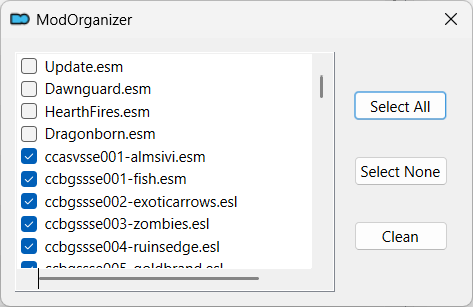
MO2 Menu > Tools > Tool Plugins > Clean Plugins - check the plugins you want to clean
- click
Clean
Interrupt cleaning
Unlock MO2 while cleaning is in progress stops cleaning.
Plugin list sorting
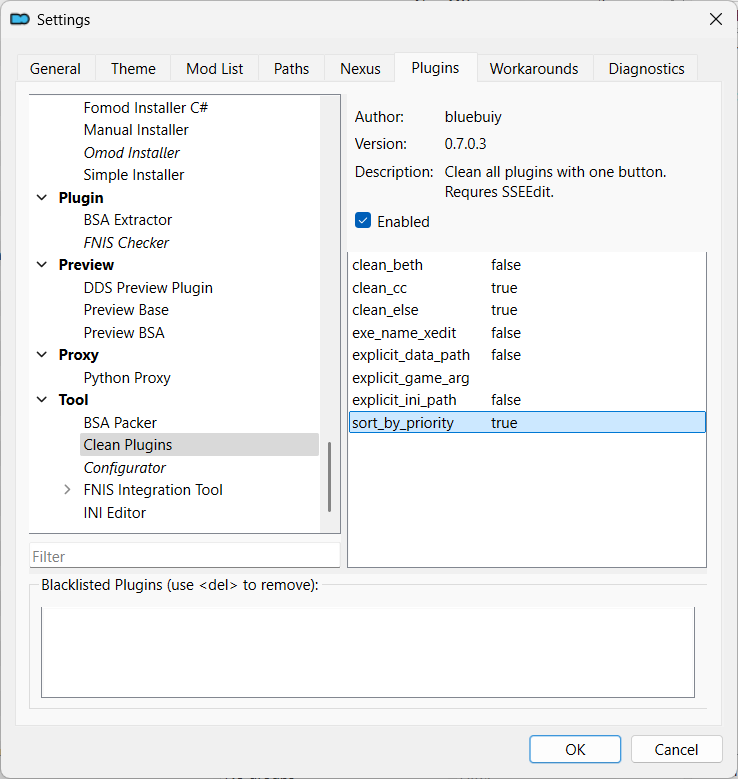
Sorting is controlled by the sort_by_priority value in the plugin settings.
| sorting | sort_by_priority |
|---|---|
| priority | true (default) |
| alphabetically | false |