Skyrim Script Extender (SKSE64)
| Homepage |
|---|
| https://www.nexusmods.com/skyrimspecialedition/mods/30379 |
| About |
| tool used by many Skyrim mods that expands scripting capabilities and adds additional functionality to the game |
References
Install scripts
Note
We are installing the Scripts from skse as a module for easier update in the future.
In Mod Organizer 2:
- double-click the skse archive in the Downloads tab to install
- you will be informed that
The content of <data> does not look valid. -
if the tutorial pops up, feel free to read through this if this is your first time or just exit by clicking the
Exit Tutorialbox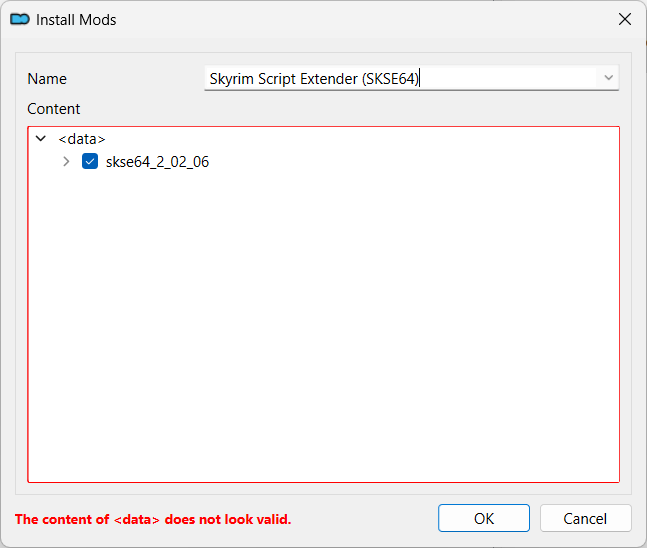
-
expand the
skse64_x_x_xitem and right-click theDatafolder -
select the
Set as <data> directorymenu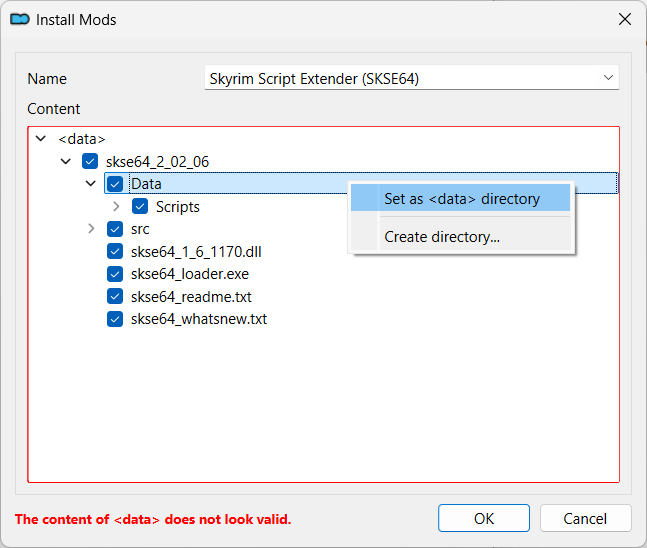
-
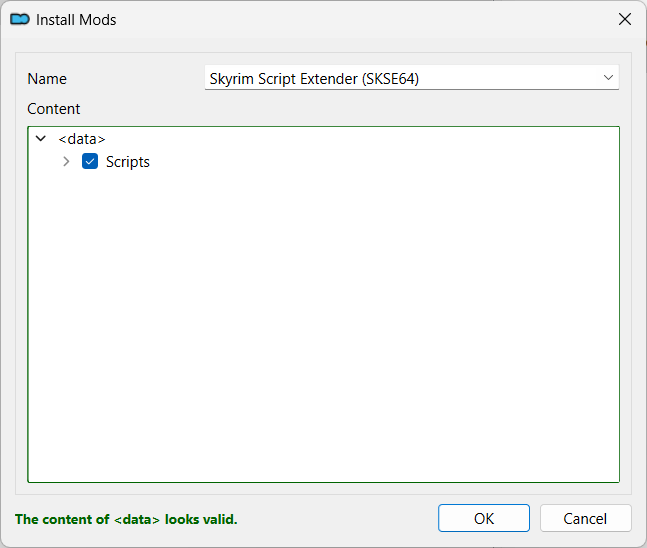
after selecting the
Set as <data> directorymenu, theContentshould look like bellow - the dialog should show
The content of <data> looks valid. - click the
OKbutton -
enable the new mod
Install binaries
Warning
Only choose one method to install the binaries.
With root builder
Tip
This is the recommended method to install the binaries as it simplifies upgrades.
- double-click the skse archive in the Downloads tab to install
- you will be informed that
The content of <data> does not look valid. -
set a different name than the one used for installing the
ScriptsTip
In order to find easier the mods installing files in the game folder, we prefix such mods with
[Root]:[Root] Skyrim Script Extender (SKSE64)Also, if the mod installs files both in
Dataand inroot, install the mod twice:- once with only the
Datafiles selected - once with only the
rootfiles selected (prefix the name for this instance with[Root])
- once with only the
-
if the tutorial pops up, feel free to read through this if this is your first time or just exit by clicking the
Exit Tutorialbox -
expand the
skse64_x_x_xitem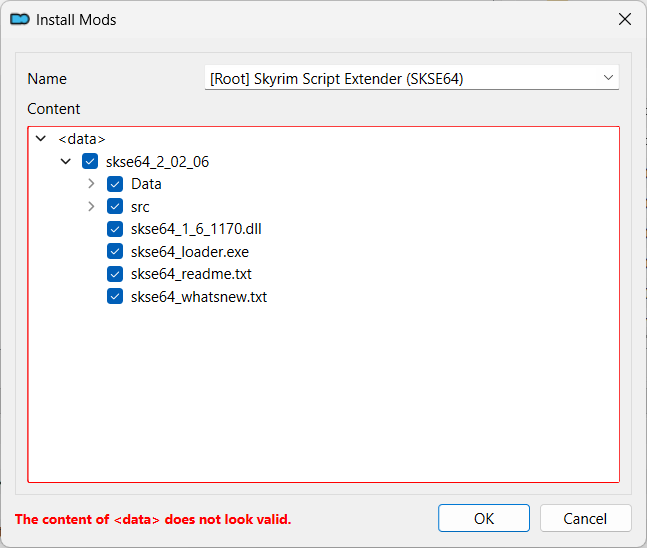
-
right-click the top
<data>item and selectCreate directory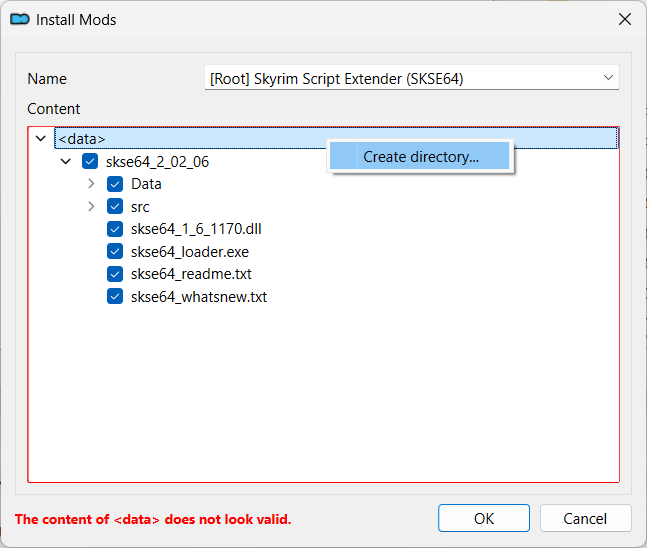
-
enter
rootin the dialog shown and pressOK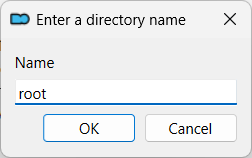
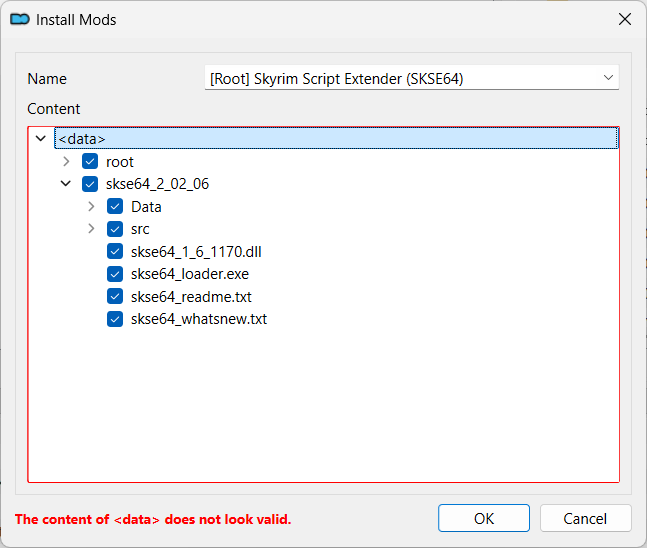
-
move the
.exeand.dllunder therootitem and deselect theskse64_x_x_xone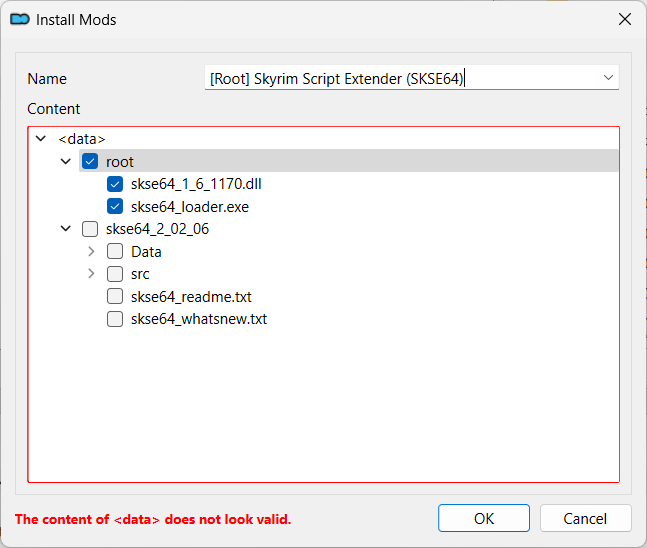
-
click the
OKbutton even thoughThe content of <data> does not look valid.is still shown -
click
Ignorewhen asked if you want to continue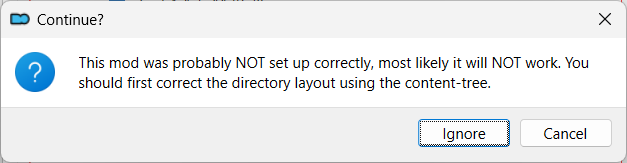
-
enable the new mod
Manually
Note
There is only one .exe and one .dll, so it is OK to install them by hand.
However, it is probably better to use the root builder method.
- the
.exeand the.dllmust be copied by hand in thestock_gamefolder - double-click the skse archive to open it with your archive manager (for example, 7-zip)
-
select the
.exeand the.dll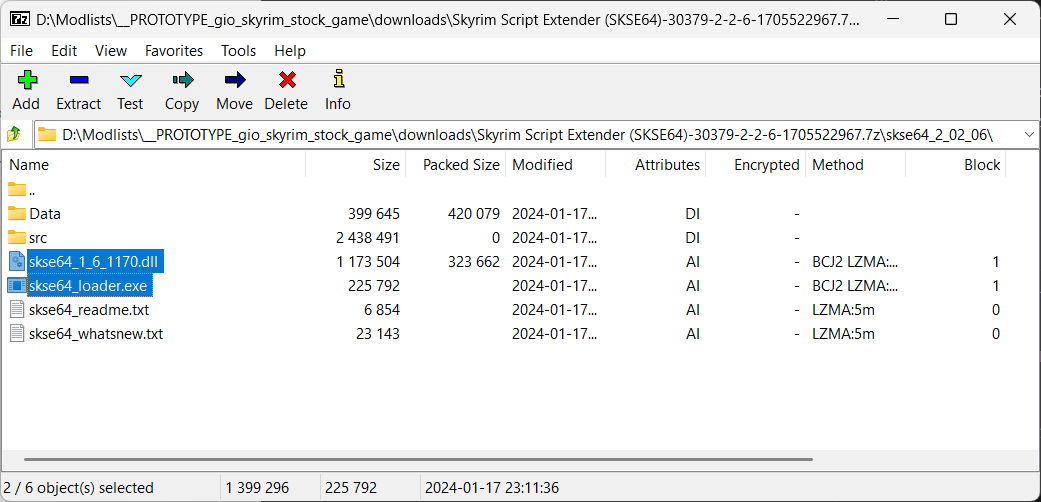
-
drag-and-drop the files in the
stock_gamefolder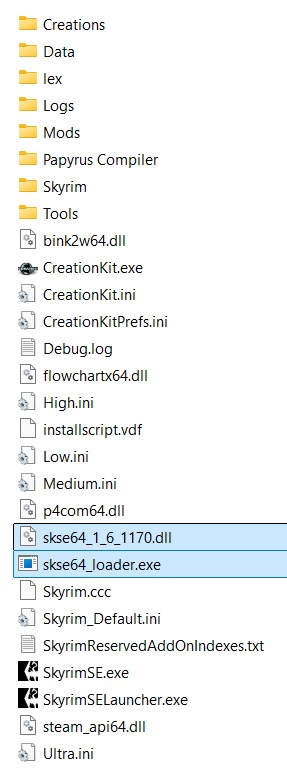
Game launcher
Tip
Mod Organizer 2 automatically creates an SKSE launcher when started, if such a
launcher is not present and MO2 finds the skse64_loader.exe in the game folder.
However, if an SKSE launcher is found, it is not updated, so any changes done to it,
like making it hidden, are preserved.
- if the
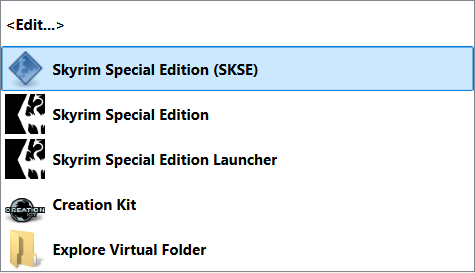
SKSElauncher is not present, restart MO2 - rename the
SKSElauncher however you like and move it at the top -
add it to the tool bar by clicking the
Shortcutbutton and selectingToolbar and Menu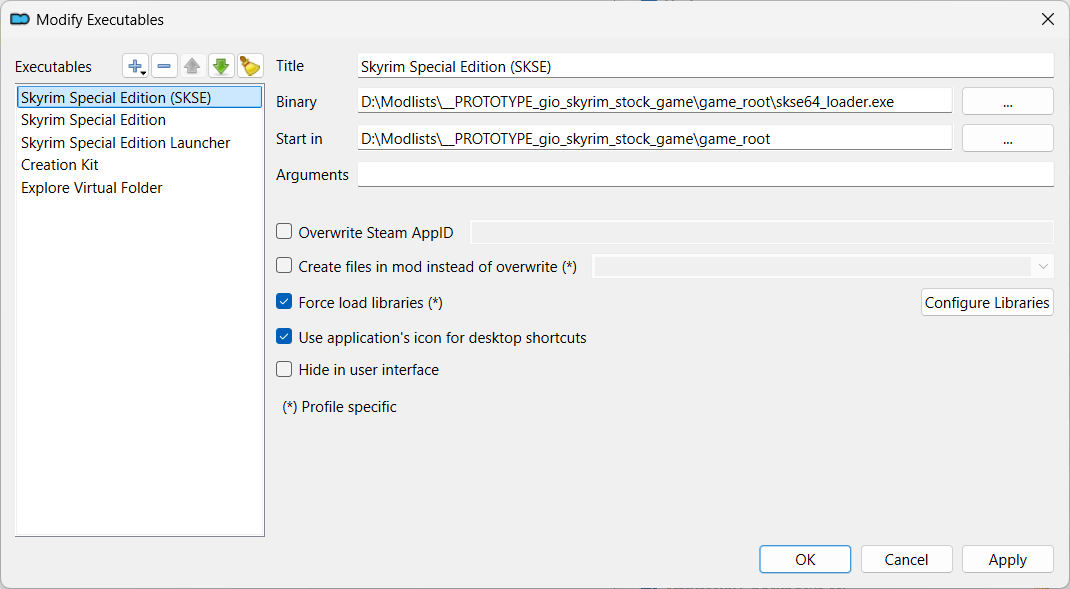
Hide automatic SKSE launcher
Tip
This is shown only if installing the binaries manually.
- restart MO2
- a new
SKSElauncher will be created automatically -
select it and check the
Hide in user interface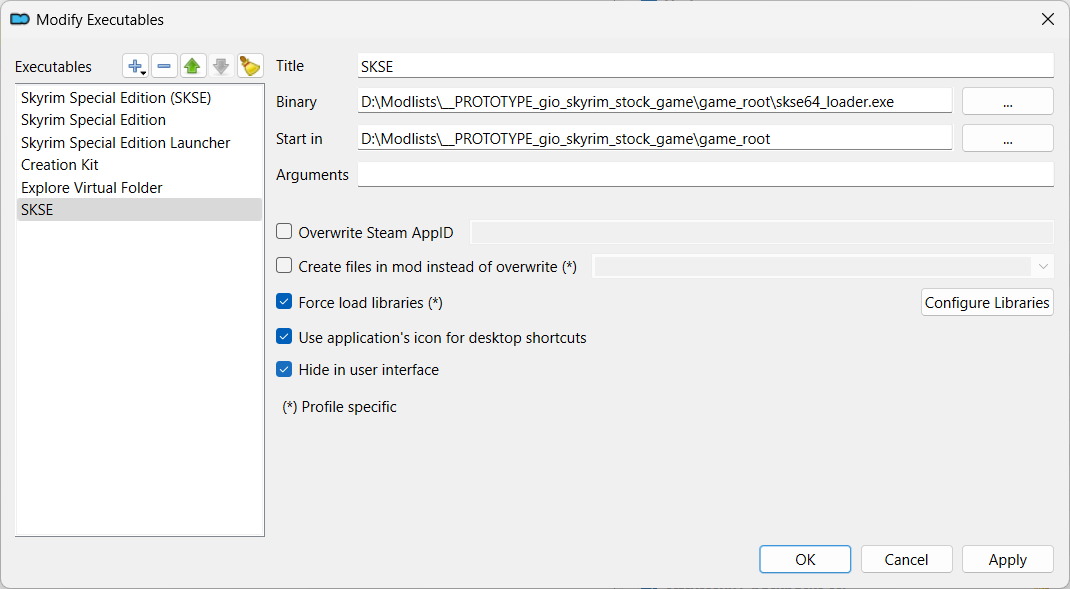
Verify the install
- launch the game using the new launcher
- in the console, type
getskseversion -
if skse is correctly installed, it should show your actual version
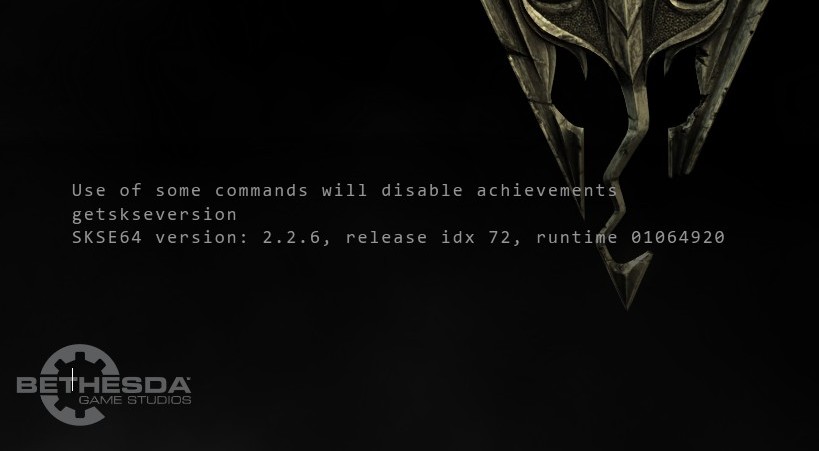
Upgrading
If you need to upgrade the skse in the future:
- uninstall the mod with the scripts
- install the new scripts as a mod
- overwrite the old binaries with the new ones