Bethini Pie
| Homepage |
|---|
| https://www.nexusmods.com/site/mods/631 |
| About |
| Universal tool to make editing INI configuration files simple via a graphical user interface |
Install
- click the
Manual downloadand save the archive in thedownloadsfolder - check the download link and extract the
fileIDfrom thefile_idhttp request- download URL:
https://www.nexusmods.com/site/mods/631?tab=files&file_id=5118 modID:631fileID:5118
- download URL:
-
manually create the
.metafile with a content similar to that bellow[General] installed=true gameName=site modID=631 fileID=5118 removed=true -
extract the
Bethini Piefrom the archive tomo2\toolsfolder - create a launcher for
BethiniPie.exe -
add the launcher to the toolbar
Title Bethini Binary <SOURCE_DIR>\mo2\tools\Bethini Pie\Bethini.exe Start in Arguments Overwrite Steap AppID: Create files in mod instead of overwrite (*) Force load libraries (*) Use application's icon for desktop shortcuts Hide in user interface
Setup
- launch Bethini from MO2
-
select
Skyrim Special Editionand clickSelect Game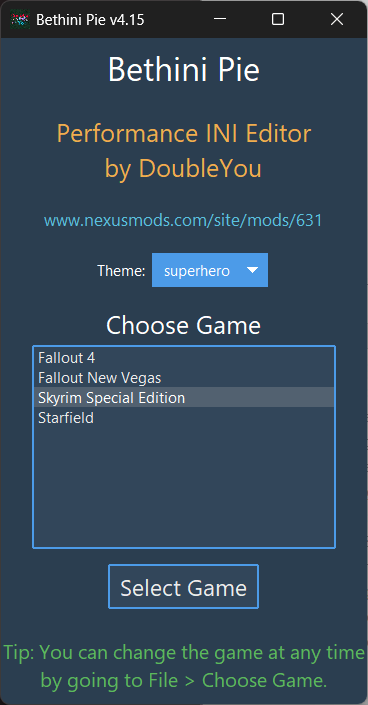
-
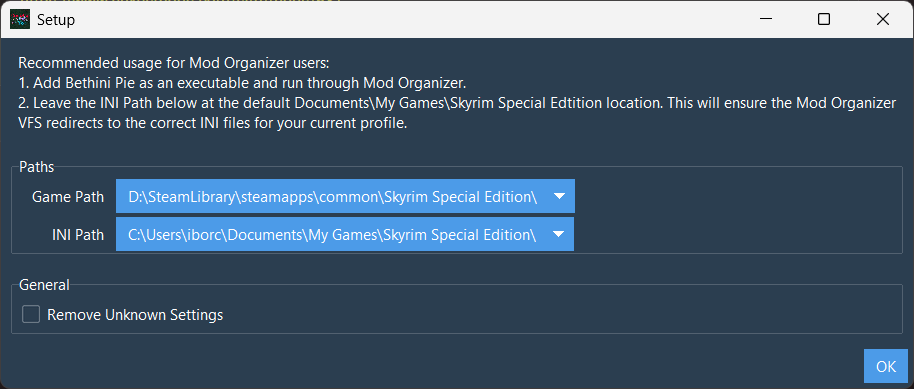
leave paths to their defaults and click
OK